Configure project settings
You can control settings for projects such as the maximum number of items displayed in the Explorer Tree and where to save test run defects.
Important considerations
Existing projects with shouldVersion=false are treated as versioned at runtime.
Workflow-level versioning options are supported. For more information, see Configure workflow for item type.
Notice
Keep versioning enabled during your initial import and setup so that imported items receive version records. This helps ensure that exports, baselines, and rollback work correctly. Once complete, continue to use versioning to capture subsequent edits to items.
Organization and Project Admins only
You need organization or project admin permissions for this task.
To configure settings for a project:
Select ADMIN > Project > Settings, then select Edit.
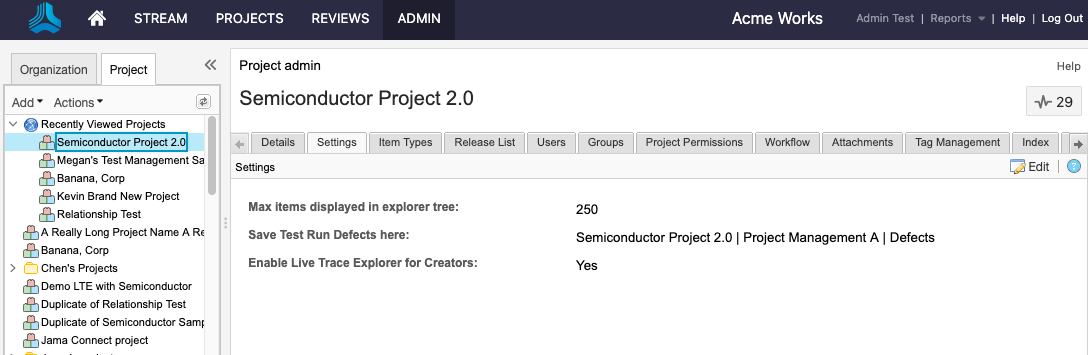
On the Settings page that opens, configure the settings as needed.
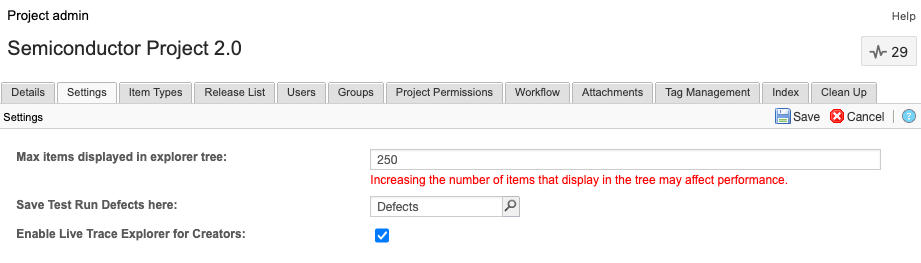
Max items displayed in Explorer Tree — Sets the maximum number of items that are displayed per container (project, component, set, or folders) when using the Explorer Tree.
Tip
Setting this option can improve performance when you work with large data sets.
Save Test Run Defects here — Automatically sends defects that are recorded in the Test execution window to this location in the project. The Defect item types must be a Visible item type for them to appear. See Configure project item types.
Enable Live Trace Explorer for Creators — Admins must enable the Live Trace Explorer feature before it appears in projects and as an option in Admin Project settings. By default, this feature is disabled.
The project settings are saved.