Discover relationships with Jama Connect Advisor
Run an analysis to find potential relationships between source and target items.
To discover relationships:
From the Jama Connect header, select PROJECTS > Project.
Select the source items you want analyzed using one of these methods:
In the Explorer Tree, select a component, set, or folder.
Select items within a filter, a release, or a specific category.
In Document View, select the target items you want to compare against source items.
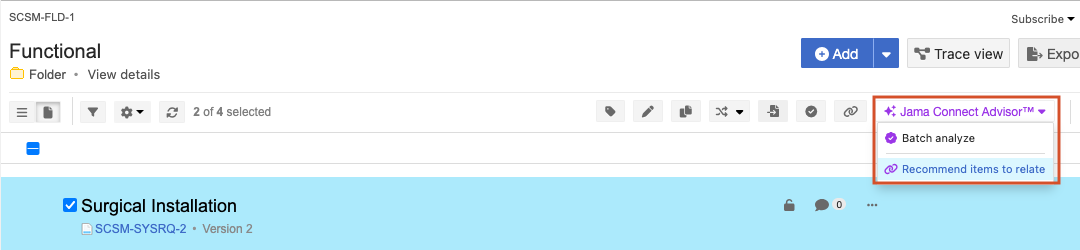
From the Jama Connect Advisor drop-down menu, select Recommended items to relate.
In the window that opens, configure these settings:
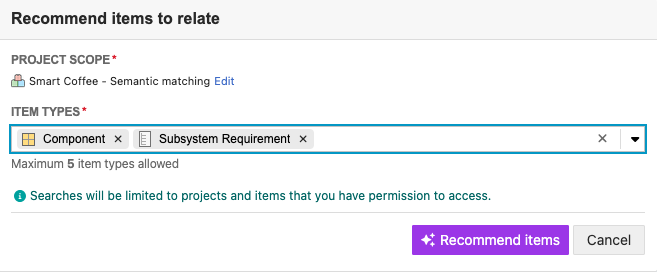
In Project Scope, select Edit to make changes.
In Item Types, select up to five item types.
Select Recommend items.
A message confirms that the recommendation search is started. Another message appears when the relationship discovery is complete.
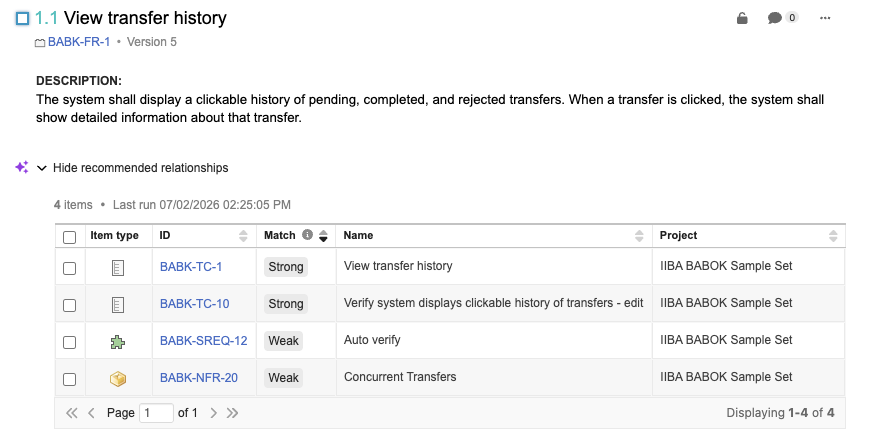
For the items you chose, select Show recommended relationships.
Review the ranked results to identify the most relevant relationship candidates.
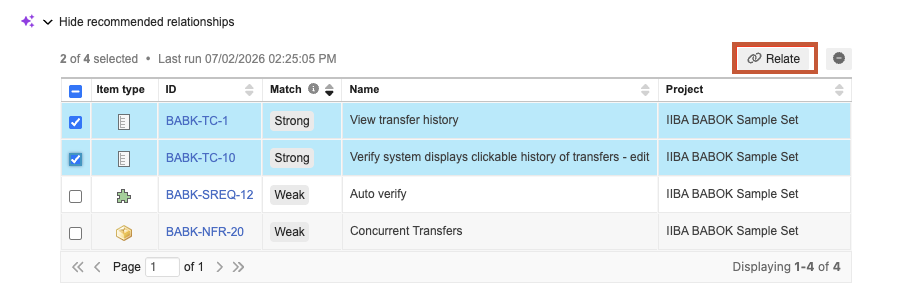
Select the relationships you want to create, then select Relate.
A message confirms that the relationships were created. Search results are stored for 30 days.