Jama Intelligence Gateway
Jama Intelligence Gateway connects Jama Intelligence Gateway Assistant to a model you choose through an adapter your organization manages. It works with Jama Connect KOTS and Kubernetes-Native self-hosted deployments.
Architecture overview
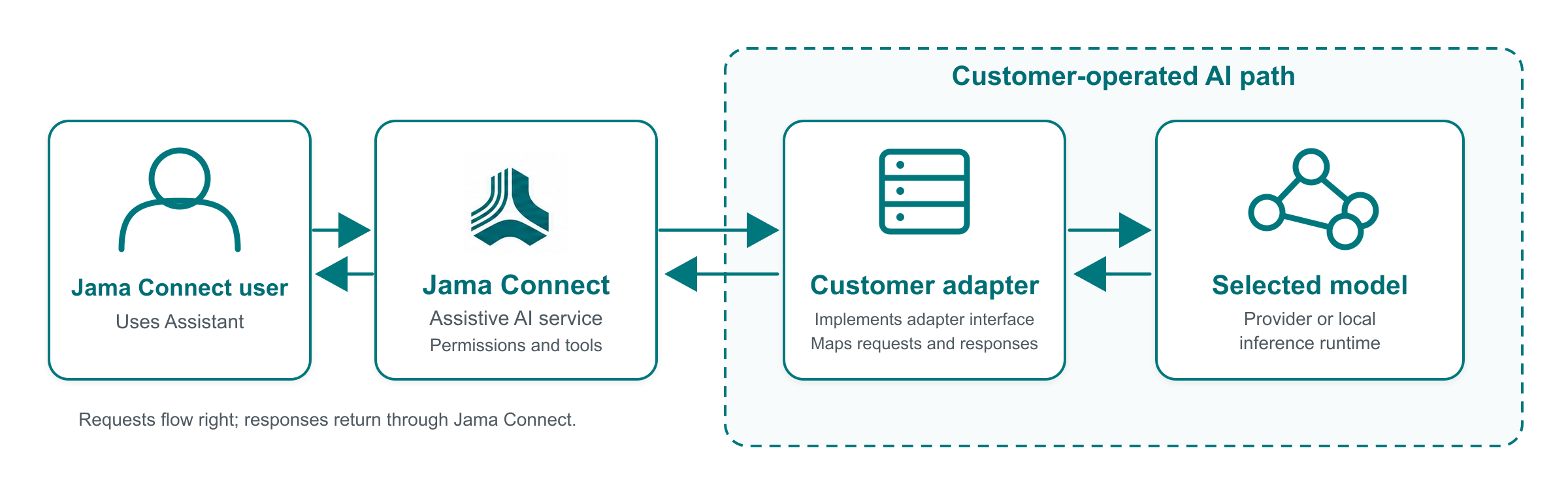
When a user opens Assistant from a project, the Assistive AI service manages the conversation, active prompts, and available Jama Connect tools. Jama Connect sends the relevant context to your configured adapter through the documented Jama Intelligence Gateway interface. The adapter translates requests and responses for your selected model provider or local inference runtime.
Jama Connect controls the Assistant workflow. It enforces user permissions, validates supported operations, requests confirmation when required, and executes authorized actions. The model doesn’t connect directly to the Jama Connect database or run Jama Connect operations.
Jama Intelligence Gateway terms
Term | Definition |
|---|---|
Jama Intelligence Gateway | The self-hosted offering that connects the Assistant capability to a customer-operated model path. |
Assistant | The end-user experience opened from a Jama Connect project. |
Assistive AI service | The internal Jama Connect service that manages conversations, prompts, tools, validation, and calls to the adapter. |
Adapter | The customer-operated endpoint that implements the Jama Intelligence Gateway adapter interface and translates requests and responses for the selected provider. |
Provider | The cloud service or local inference runtime used to host or serve a model. |
Model | The specific LLM selected and configured by the customer. |
Prompt override | An organization-managed replacement for a prompt bundled with Jama Connect. |
Information sent to the adapter
Depending on the conversation and requested work, Jama Connect can send the adapter:
The active system prompts.
Ordered conversation history.
Jama Connect content included in the conversation context.
Available Jama Connect tool definitions.
Tool requests and tool results.
The adapter can translate and send this information to the selected provider. Review the provider's retention, training, privacy, residency, and regional-processing terms before enabling production use. Product credentials, direct database access, and permission enforcement remain inside Jama Connect.
Responsibilities
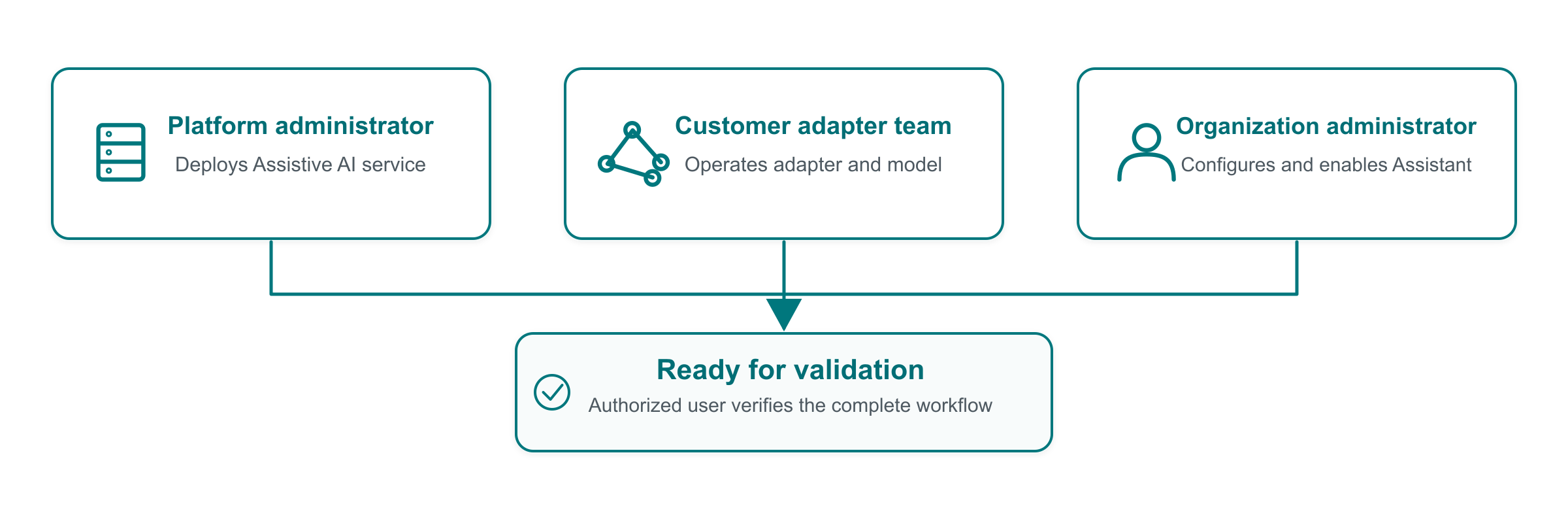
Jama Software supports the Jama Connect product integration and the documented Jama Intelligence Gateway adapter interface. The customer operates the endpoint and provider/model path, including credentials, networking, model selection, inference configuration, monitoring, cost, and model behavior.
Process overview
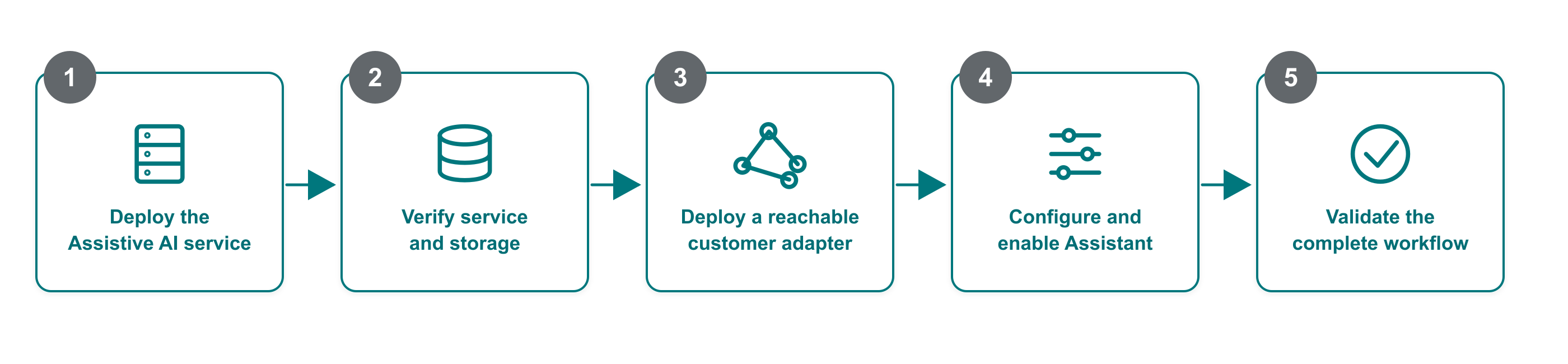
Deploy the Assistive AI service and verify its internal service and persistent storage.
Prepare an adapter that implements the documented interface and can reach your selected model.
Run the adapter test suite against the complete adapter operation URL.
Configure the adapter URL and enable Assistant in Jama Connect.
Validate the Assistant workflows your organization plans to use.