Create a review to compare current items to a baseline
To speed up incremental reviews, you can compare approved baselines with current content.
Select the Baselines tab in the Explorer Tree.
In the Explorer Tree, right-click on the baseline, and select Send for review.
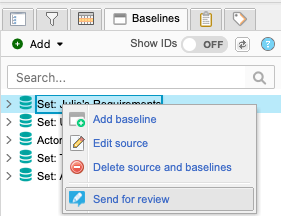
The review wizard opens.
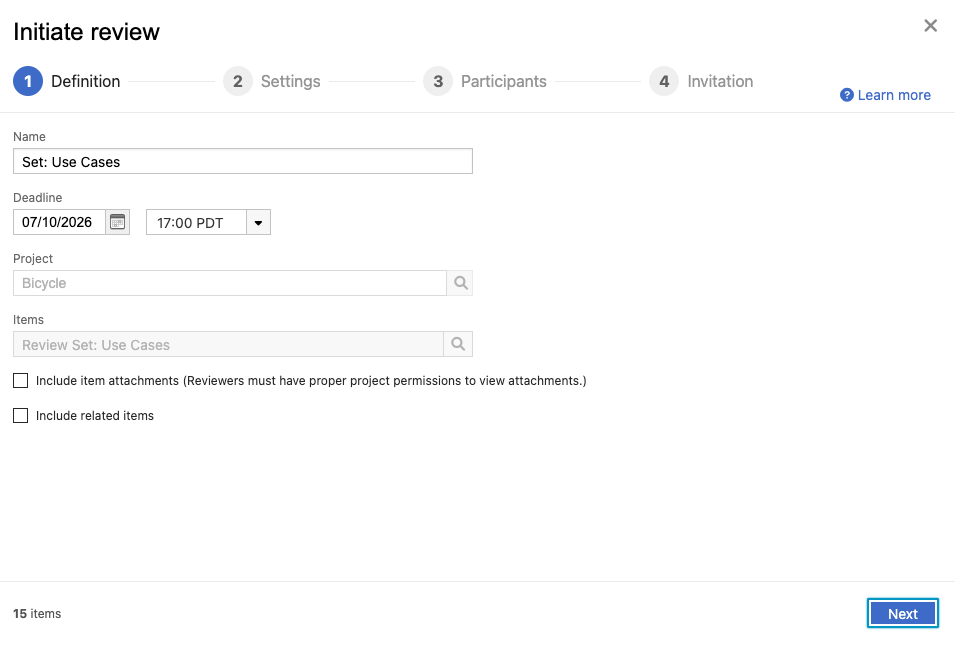
Follow the prompts in the review wizard to define and initiate your review.
Define your review — Name the review, set a deadline, and select items to be reviewed.
Configure review settings — Configure electronic signatures, permissions, notifications, and optional review settings such as time tracking and voting.
Choose reviewers — Add participants, assign review roles, and optionally assign signer roles to approvers.
Configure email notifications — Enter a subject line and message for the review invitation email.
Select Initiate Review.
You receive a confirmation that your email was sent. In the review header, you now see a version and comparison drop-down menu.
