Enable the Data Stream Service
Enable the Data Stream Service in the KOTS Admin Console, configure its database connection, then deploy the changes.
In the KOTS Admin Console, select Config > Data Stream Service, then select Enable Data Stream Service.
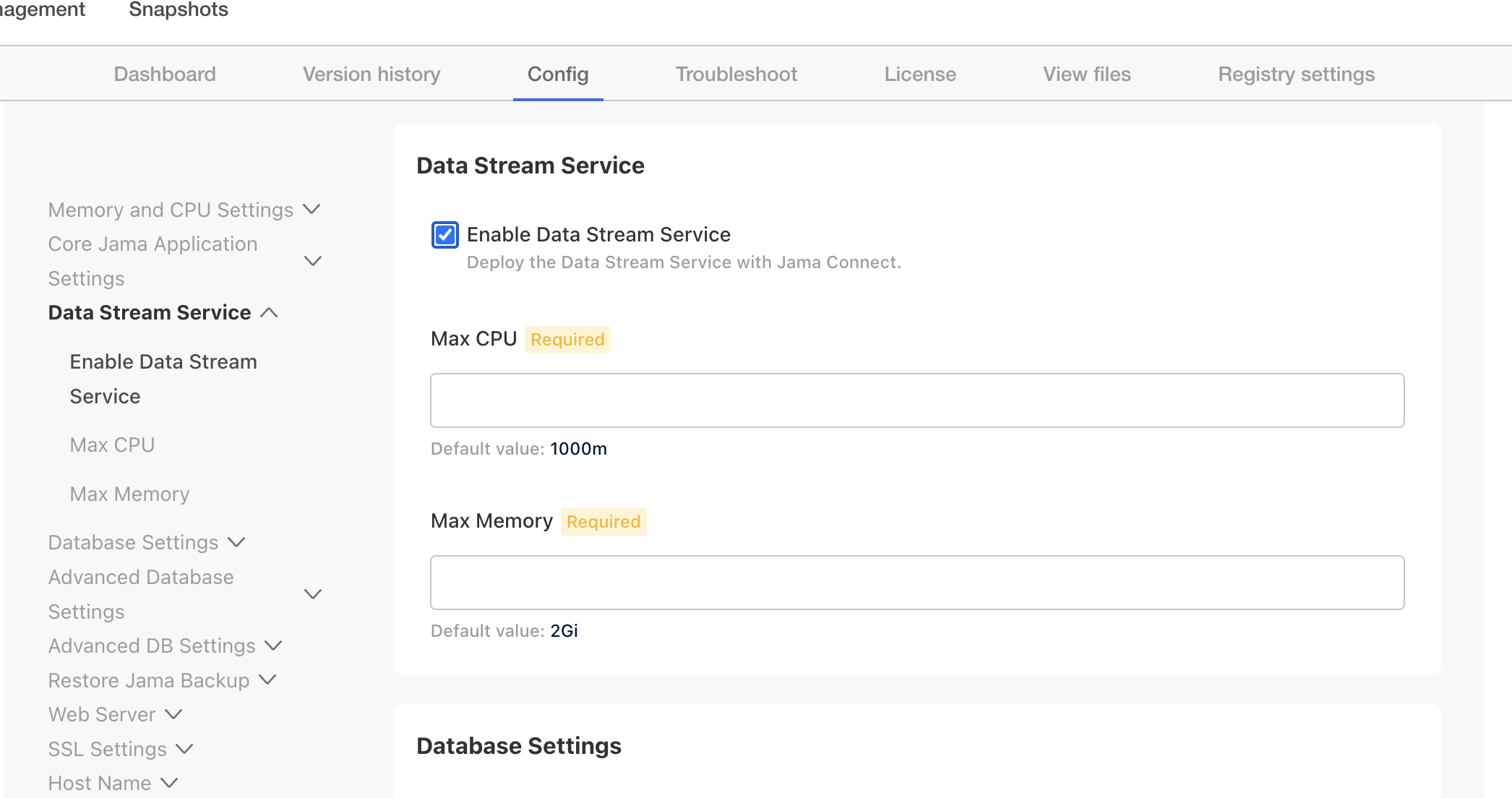
In Database Settings, enter the database host, port, name, password, and any required schema or connection parameters.
Validate the configuration and resolve any connectivity, credential, certificate trust, or capacity issues.
Scroll to the bottom, then select Save config.
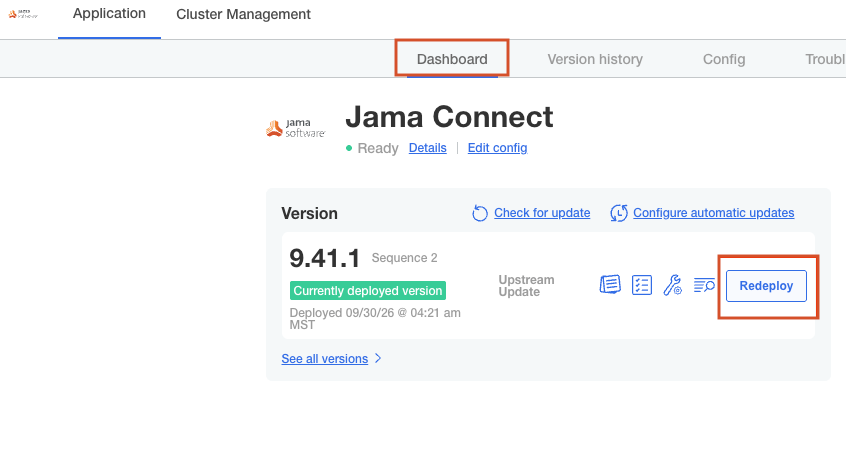
Select Dashboard, then select Deploy or Redeploy and follow the Jama Connect KOTS deployment workflow for your release.