Run Impact Analysis
Impact Analysis shows you a complete picture of all upstream and downstream related items that might be affected by changes. You can run an impact analysis on an item or on a change request.
With traceability, you can see how a change might impact a selected item before you make the change.
For example, if you're about to change a requirement, you can run an impact analysis to see the degree to which the change might impact other requirements and verifications.
To run Impact Analysis:
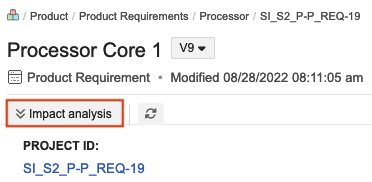
On an item — In the top toolbar of Single Item View, select Impact Analysis.
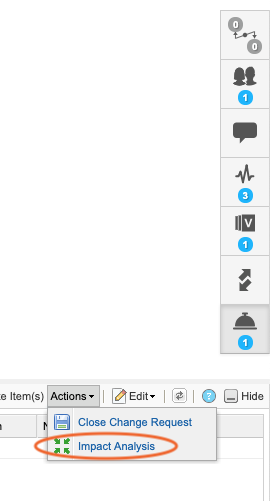
On a change request — In the side toolbar of a change request, select Items to change (bell widget) to open the bottom panel, then select Actions > Impact Analysis.