Add participants to a sequential Approval review
Add users or groups to review stages so that participants review the content in a specific order. Each stage begins after the previous stage is complete.
Important considerations
In a sequential review, participants receive an email when they’re added. The email explains that they can review the content when their stage becomes active.
When all required participants in a stage complete their reviews, the next stage becomes active, and each participant receives an email. If a group is assigned to a stage, one group member must claim the review before the group can complete it.
If a participant rejects the content, the review returns to the first stage when the content enters its next revision. The stages then repeat in order.
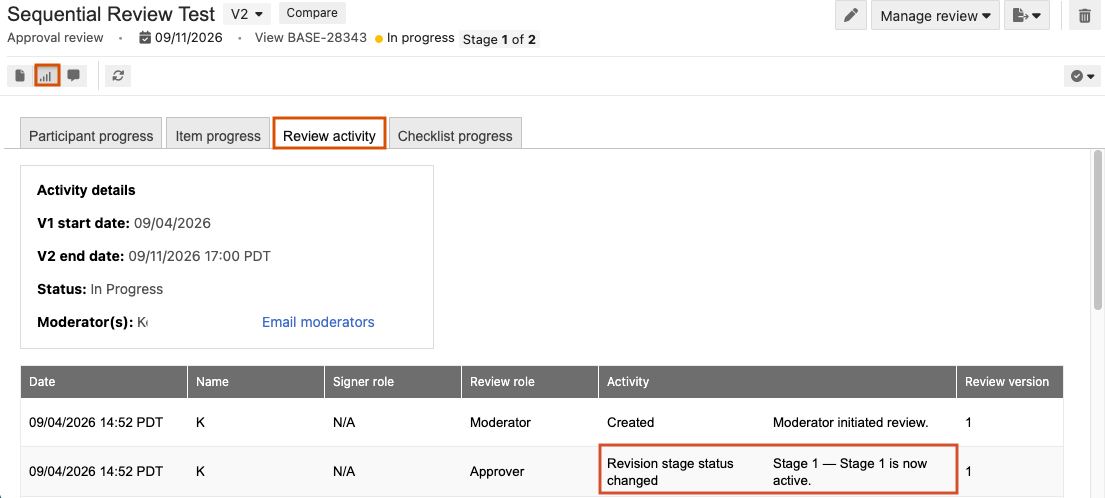
As a moderator, you can see the review’s stage at the top of the review or in Stats > Review activity.
Tip
Before you begin, identify the users or groups for each review stage and determine who must review the content first.
To add participants to a sequential review:
Create a review and follow the prompts in the wizard to define and initiate your review:
Definition — Name the review, set a deadline, and select items to be reviewed.
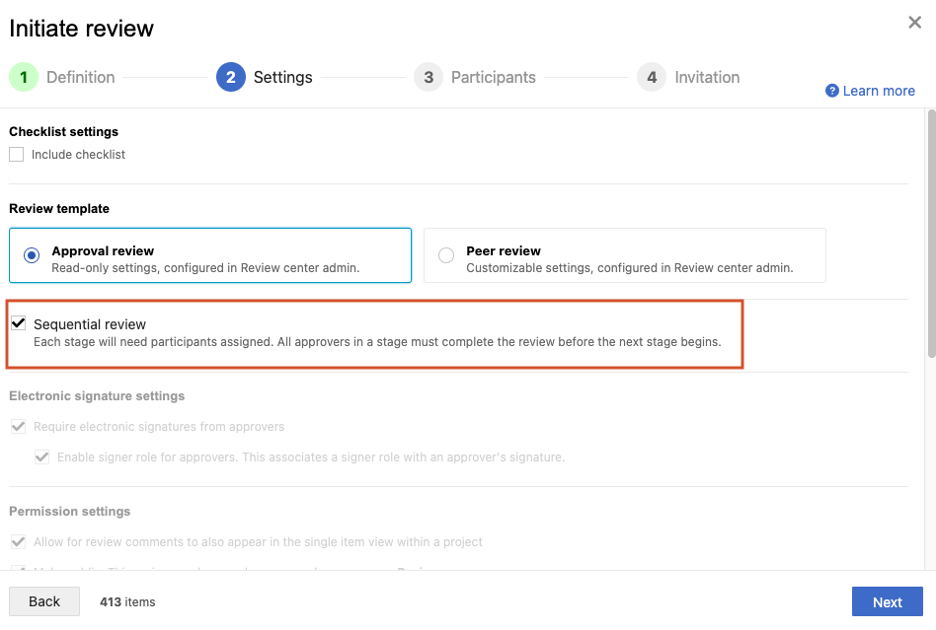
Settings — Configure the review settings and select Sequential review.
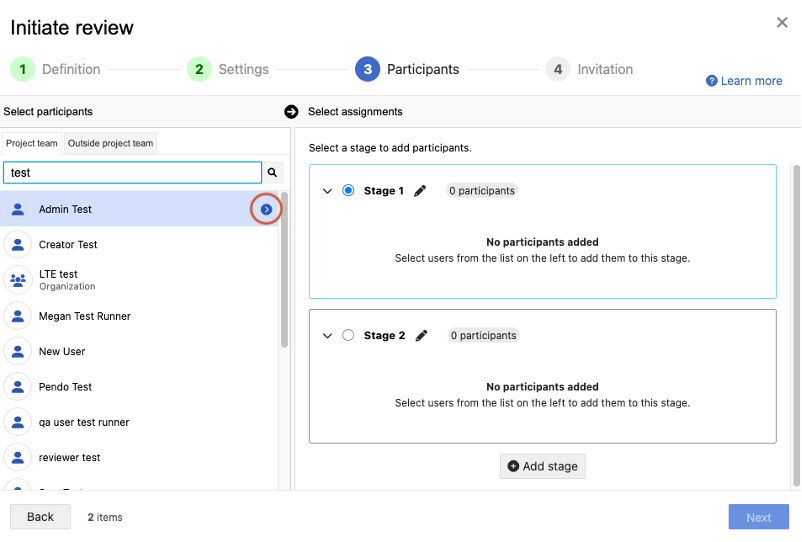
Participants — Select the arrow next to the person or group name to add them to the selected stage.
Invitation — Complete and send the invitation email.
Select Initiate review.
A message confirms that the review was sent to all selected participants.