Review Center dashboard views
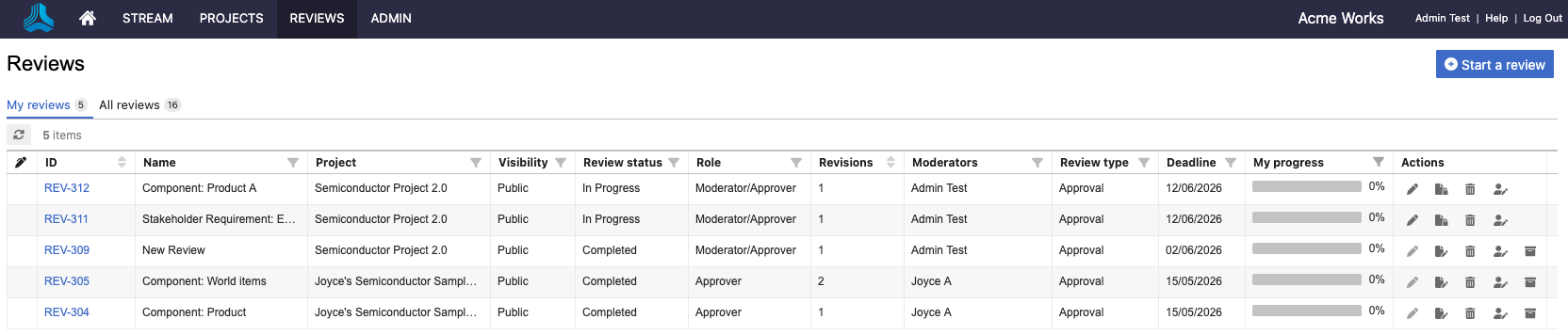
Access reviews from the top navigation by selecting REVIEWS in the header.

From the header, you have two options:
My reviews | All reviews where you are assigned as a reviewer, approver, or moderator. |
All reviews | Reviews that haven't yet been archived. |
What you see in the dashboard
What is displayed in the dashboard depends on your role, whether you’ve been invited to a review, and the options you select.
Review administrators — See all reviews.
Users — See only public reviews until they are invited to a review (depends on how your organization administrator and moderator have set public review permissions).
Filter — Filter reviews by review status, your role in the review, revisions, review type, deadline, project, name, ID, and progress.
Include/Hide archived reviews — See reviews that have been archived or remove them from your results.