Delete a branch (Cloud only)
An organization admin can remove a branch when it's no longer needed.
Organization Admins only
You need organization admin permissions for this task.
Important considerations
Once a branch is deleted, it can’t be restored. Anything created in the branch (for example, a review) is also deleted.
To edit branch settings:
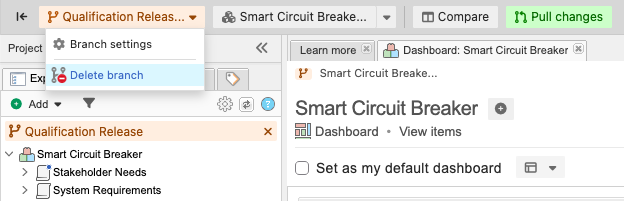
Select PROJECTS, navigate to the branch you want to delete, then select Delete branch from the Branch drop-down menu.
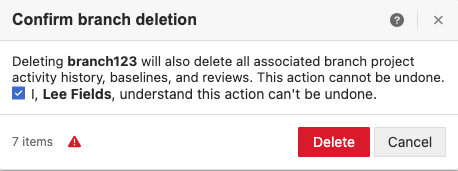
In the window that opens, confirm branch deletion, then select Delete.
A message confirms that the branch was deleted.