Edit branch settings (Cloud only)
From the branch settings, you can change the branch name.
Organization and Project Admins only
You need organization or project admin permissions for this task.
To edit branch name:
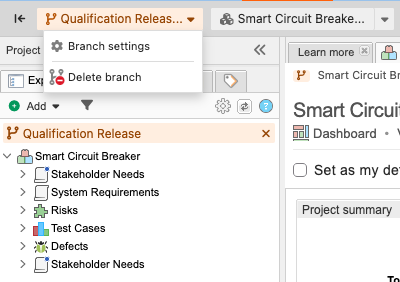
Select PROJECTS, navigate to the branch that you want to edit, then select Branch settings from the Branch drop-down menu.
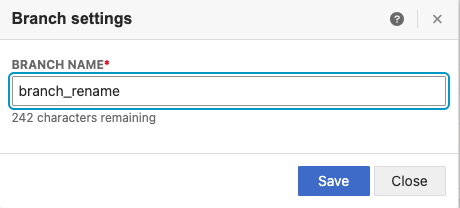
In the window that opens, enter the branch name (limit is 255 characters), then select Save.
A message confirms that the name was changed.